
|
You can examine the design results of steel elements in the Review Steel Design project, which Analysis+Design has been completed |
-
Click Structural Inspection tab in the ribbon menu.
-
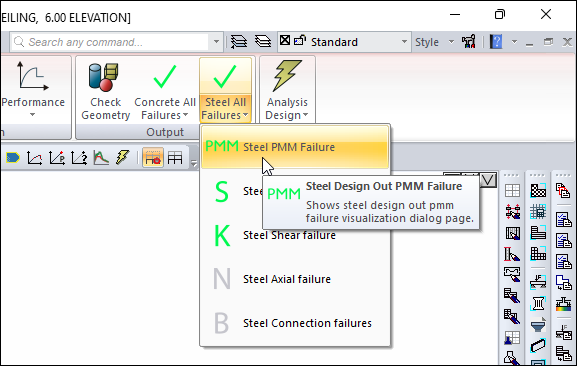
From the Output heading, open the Steel All Failures list.
-
Click the Steel PMM Failures command.
-
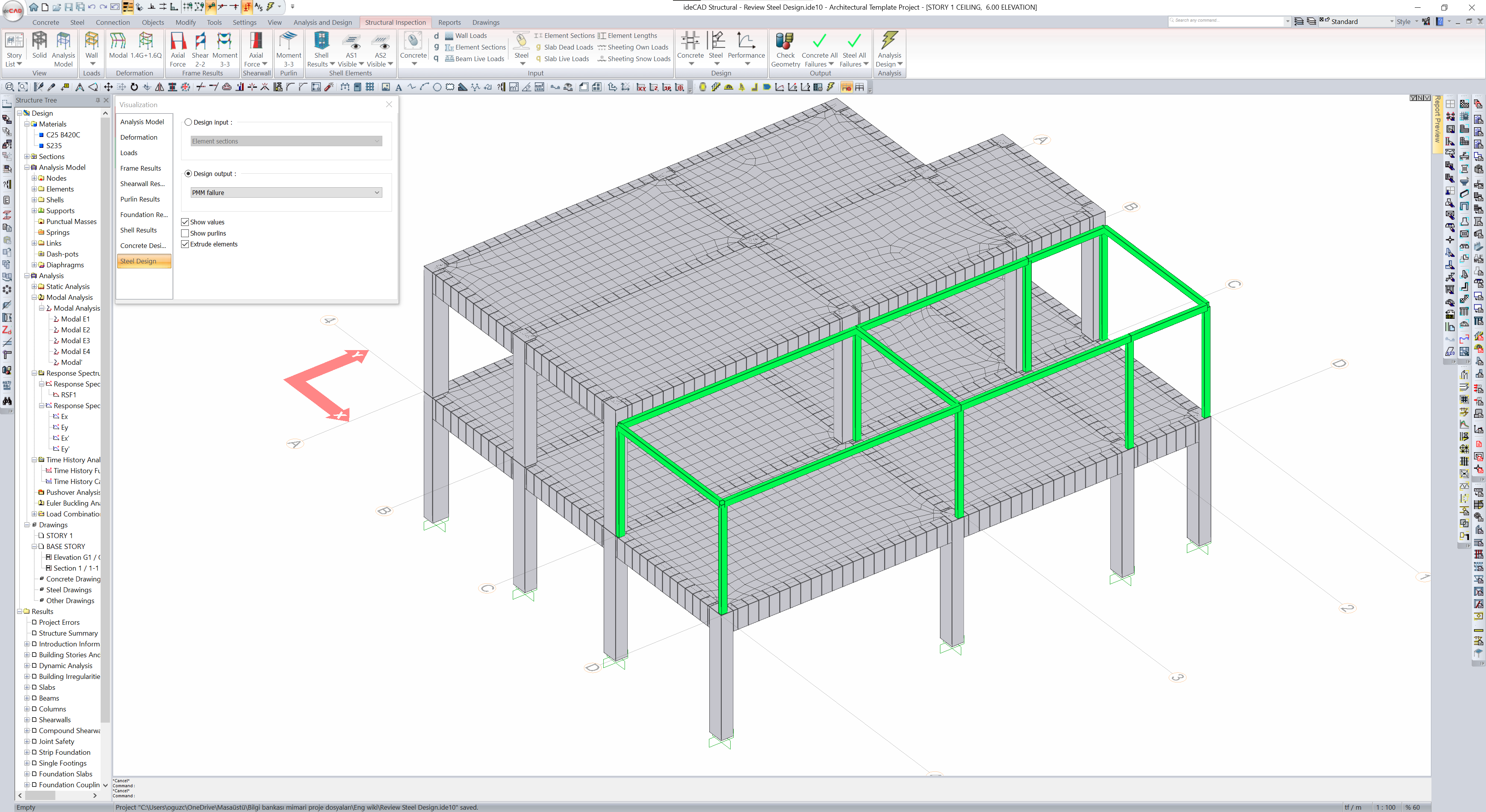
Steel PMM insufficiency results will appear in the visualization window .
-
It means that there is no insufficiency in the green colored elements, and there is an insufficiency in the red colored elements.
-
Gray colored elements are concrete elements, this control is not applied.
-
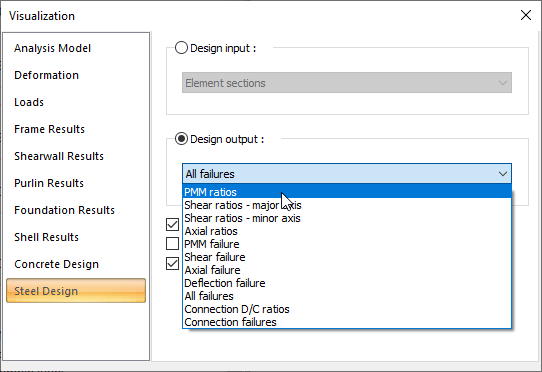
Open the Design Output list from the visualization dialog.
-
Select the PMM ratios line.
-
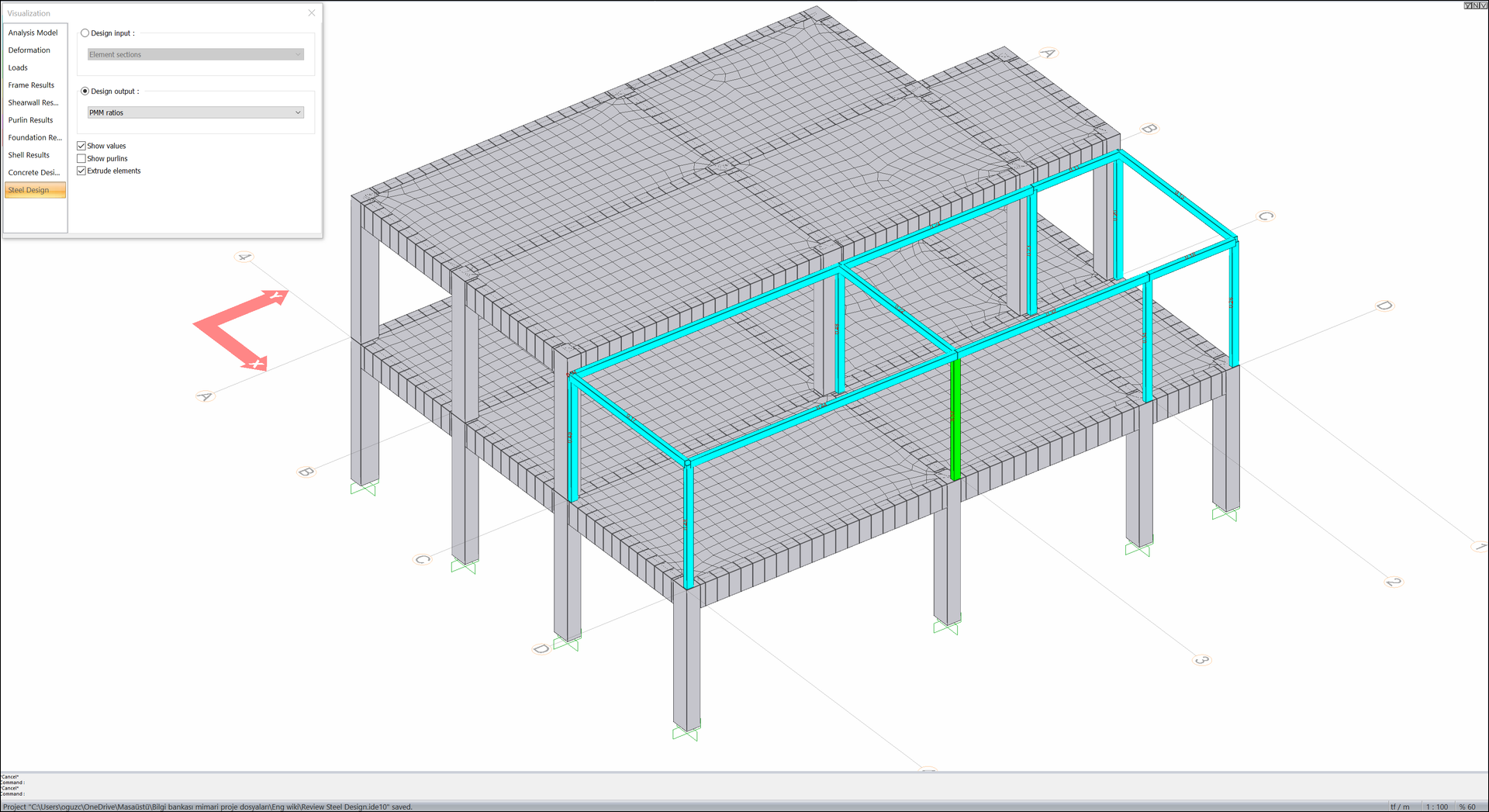
The PMM ratio values of the steel elements will be displayed in the visualization window.
-
PMM ratio greater than 1 means that the steel element is insufficient.
-
Open the Design Output list.
-
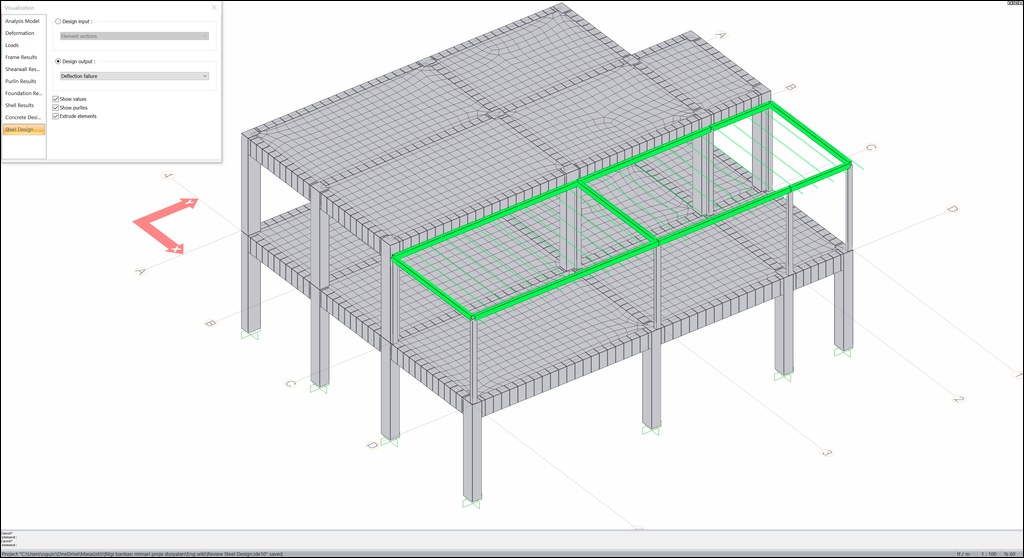
Select the Deflection failure line.
-
Deflection control of the steel elements and results will be seen.
-
Close the visualization dialog.
-
Click on the Steel tab in the ribbon menu.
-
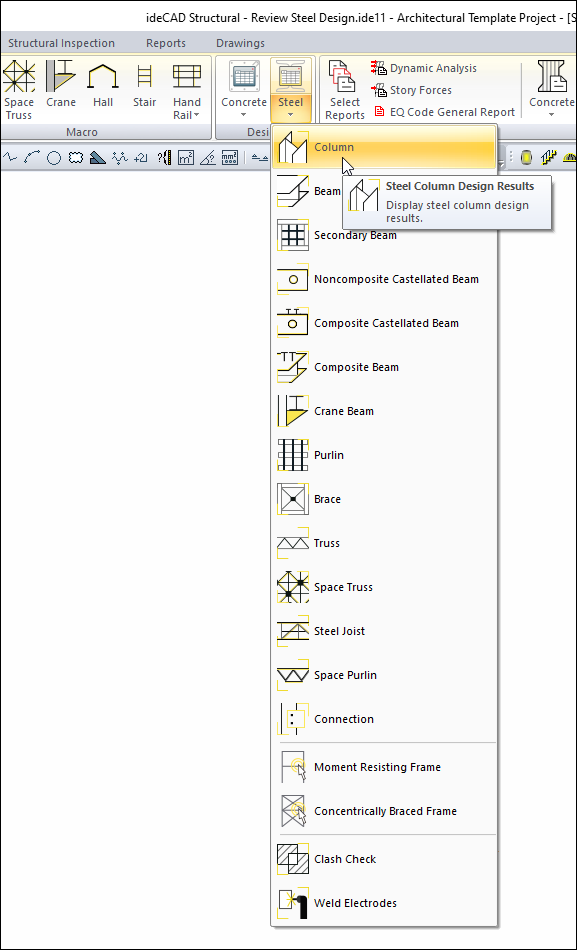
Open the Steel list in the Design heading and click the Column command.
-
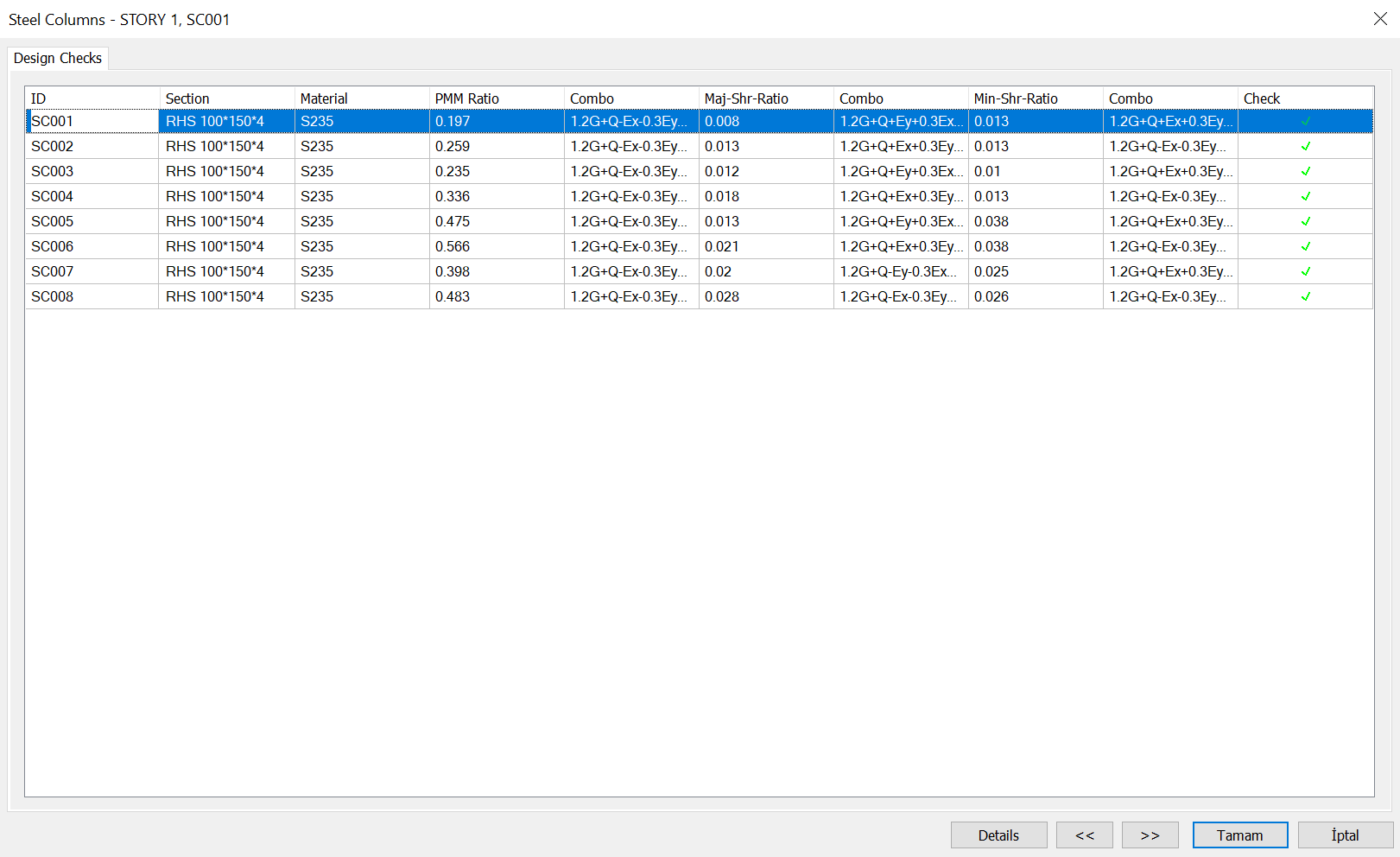
The Steel Columns dialog will open.
-
In the dialog that opens, steel column sections, PMM ratios and combinations are listed.
-
Click the Details button.
-
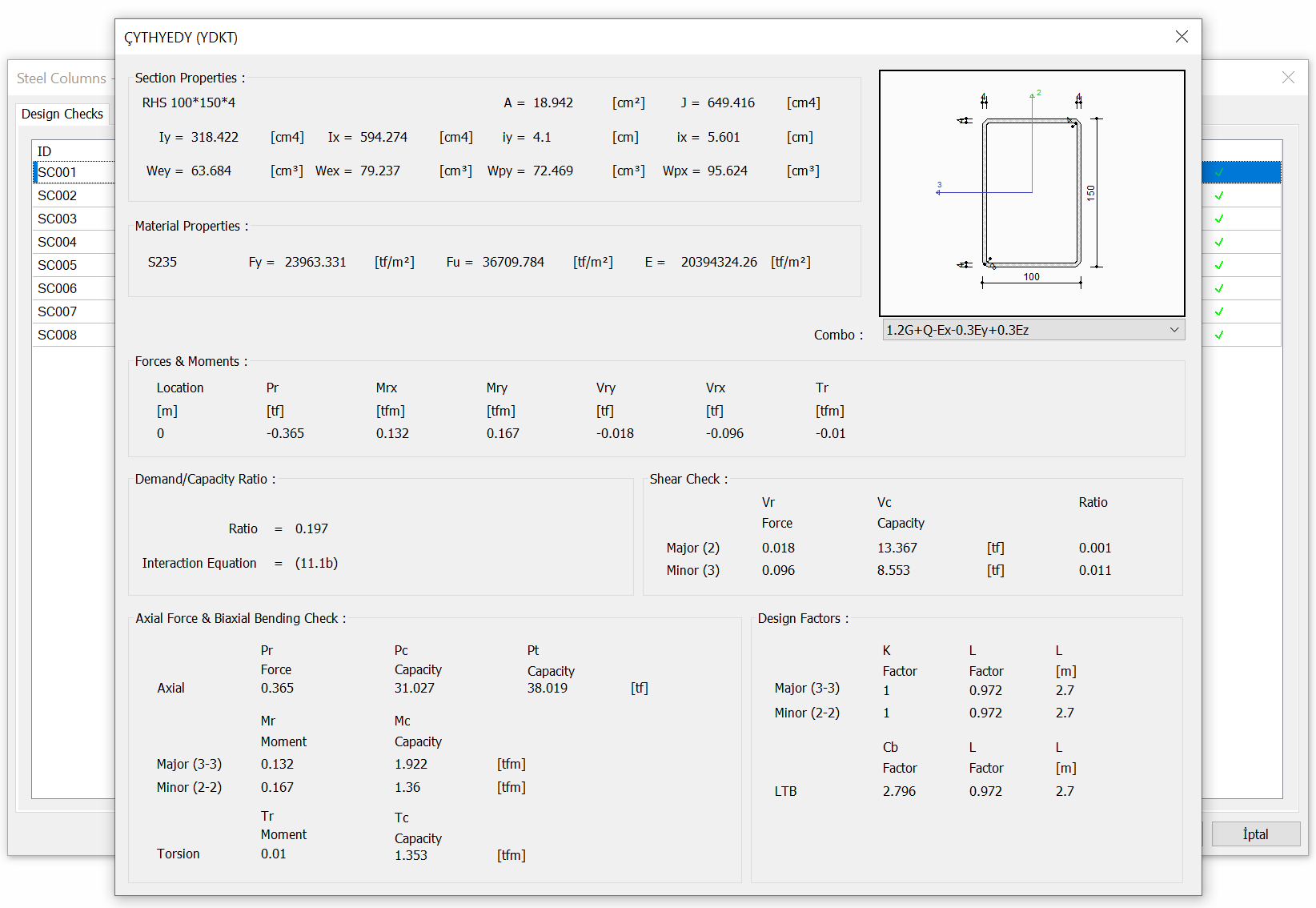
The dialog with the design details of the steel column will open.
-
Close the detail dialog.
-
Click the OK button to close the Steel Columns dialog.
-
Open the Steel list in the ribbon menu and click the Beam command.
-
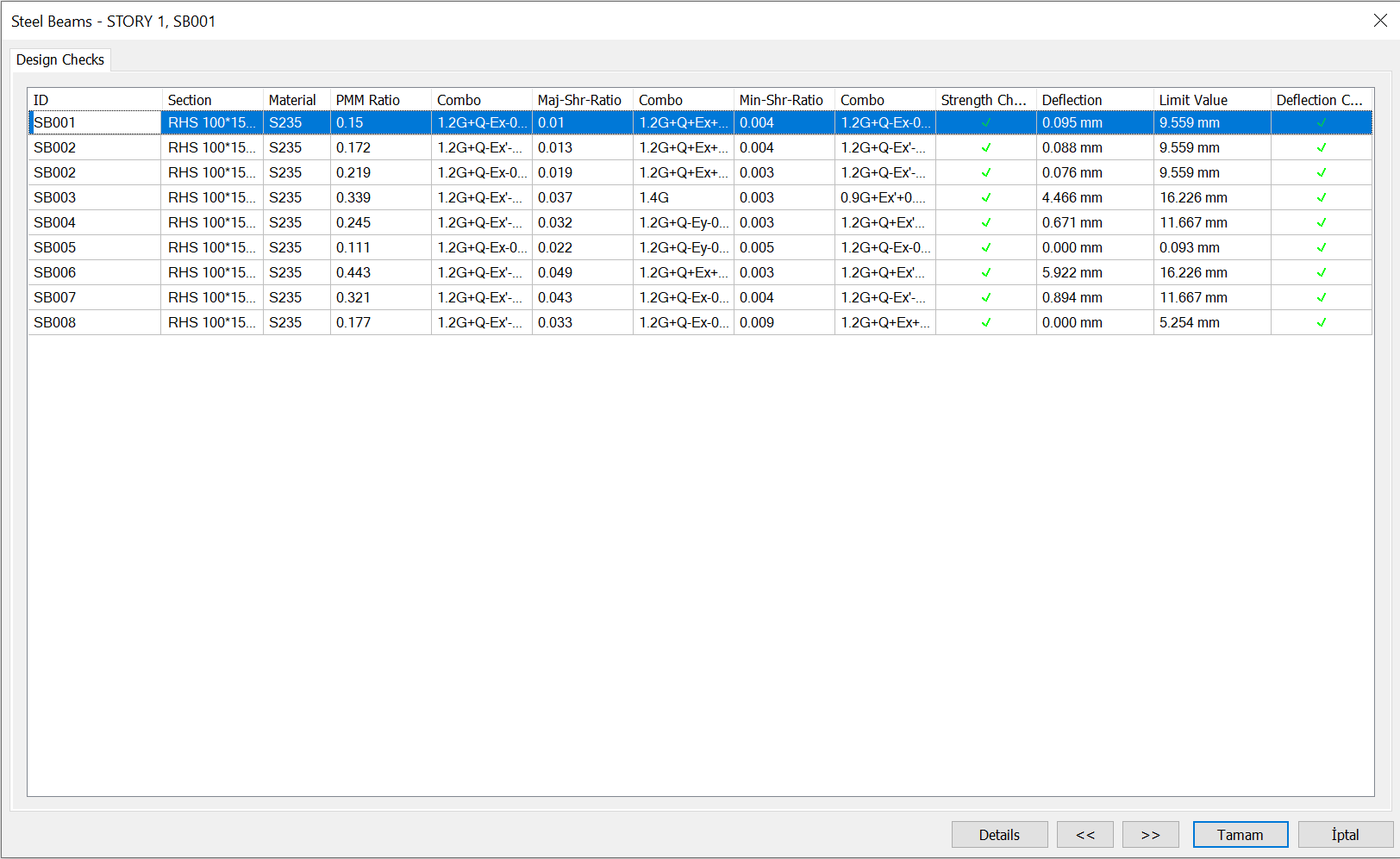
The Steel Beams dialog opens.
-
The dialog lists beam sections, PMM ratios, combinations and deflection control.
-
Click the Details button.
-
The dialog with the design details of the steel beam will open.
-
Close the detail dialog.
-
Click the OK button to close the Steel Columns dialog.
Follow the steps of the video below.
Next Tutorial