
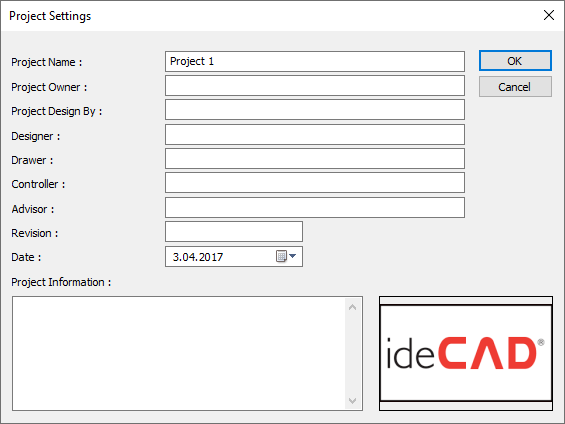
You can enter information about the project on this dialog. You can import the logo into the project on your computer by clicking the box of the company logo.
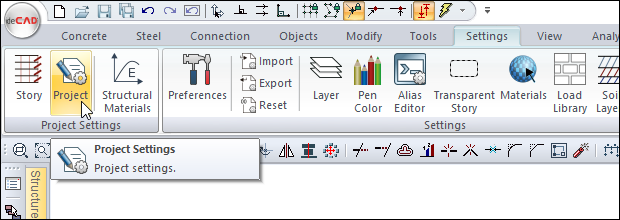
Location of the Project Settings Command
You can access it under the ribbon menu Settings tab Project Settings heading.
You can also access it from the Project Information tab in the Preferences.
Project Settings
|
Specifications |
|---|
|
Project name 
The name of the project is entered. |
|
Project owner 
Project owner information is entered. |
|
Project design by 
The information that makes the design is entered. |
|
Designer 
Designer information is entered. |
|
Drawer 
The drawer information is entered. |
|
Controlling 
The controller information is entered. |
|
Advisor 
Advisor information is entered. |
|
Revision 
Revision information is entered. |
|
Date 
Date information is entered. |
|
Project information 
Project information is entered. |
|
Company logo 
Company logo. |
Next Topic