
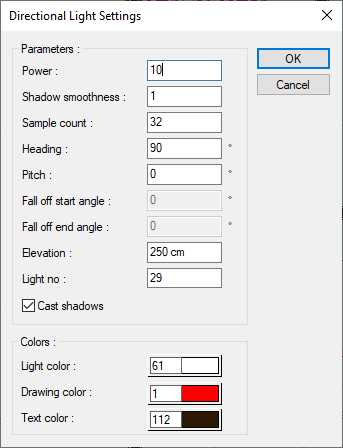
With the Directional Light Settings command, settings such as power, heading, pitch, elevation, light color of the light source are accessed.
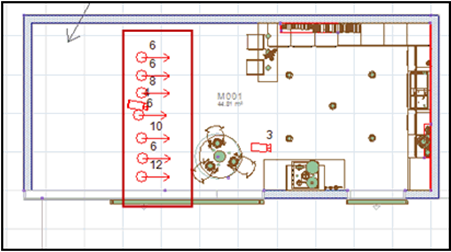
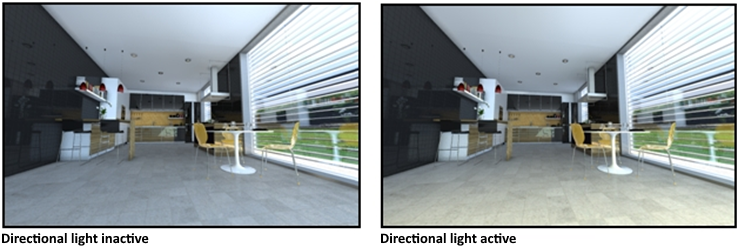
Location of the Directional Light Settings Command
You can access it under the ribbon menu Rendering tab, Light - Camera title.
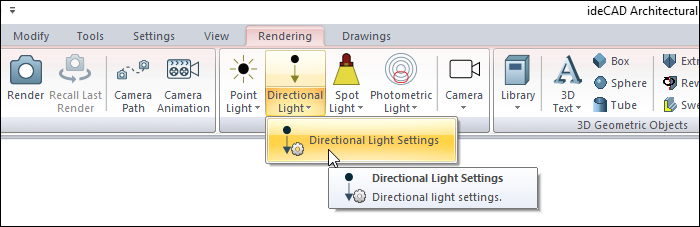
Directional Light Settings
|
Specifications |
|---|
|
Power 
A measure of the light flux emitted from a light source in a unit solid angle. It is also referred to as amplitude, perceived by the human eye as brightness. |
|
Shadow smoothness 
Increasing the softness of the shadow allows to adjust the transition tone between light receiving and non-receiving surfaces. |
|
Sample count 
Indicates at how many points the light will be calculated. It affects the quality of the edges of soft shadows. |
|
Heading 
It is the angle value made by the light source with the global x axis. Enter a positive value counterclockwise and a negative value counterclockwise. Its unit is degrees. |
|
Pitch 
By entering a value between 0-360 degrees, directional light direction change is provided. |
|
Elevation 
The vertical position of the light source on the story plan is determined. The level where the light source will be at a height of m / cm or mm from the ground is defined. |
|
Light no 
It can be named with the number given to the light source. |
|
Cast shadows 
When the option is checked, shadows caused by the light source are shown. |
|
Light color 
The color of the light is adjusted here. After clicking, the desired color is selected from the color palette displayed on the screen. |
|
Drawing color 
Changes the color of the light source drawing in the plan. After clicking, the desired color is selected from the color palette displayed on the screen. |
|
Text color 
Changes the color in the plan expressing the name or number of the light source. After clicking, the desired color is selected from the color palette displayed on the screen. |
Next Topic