
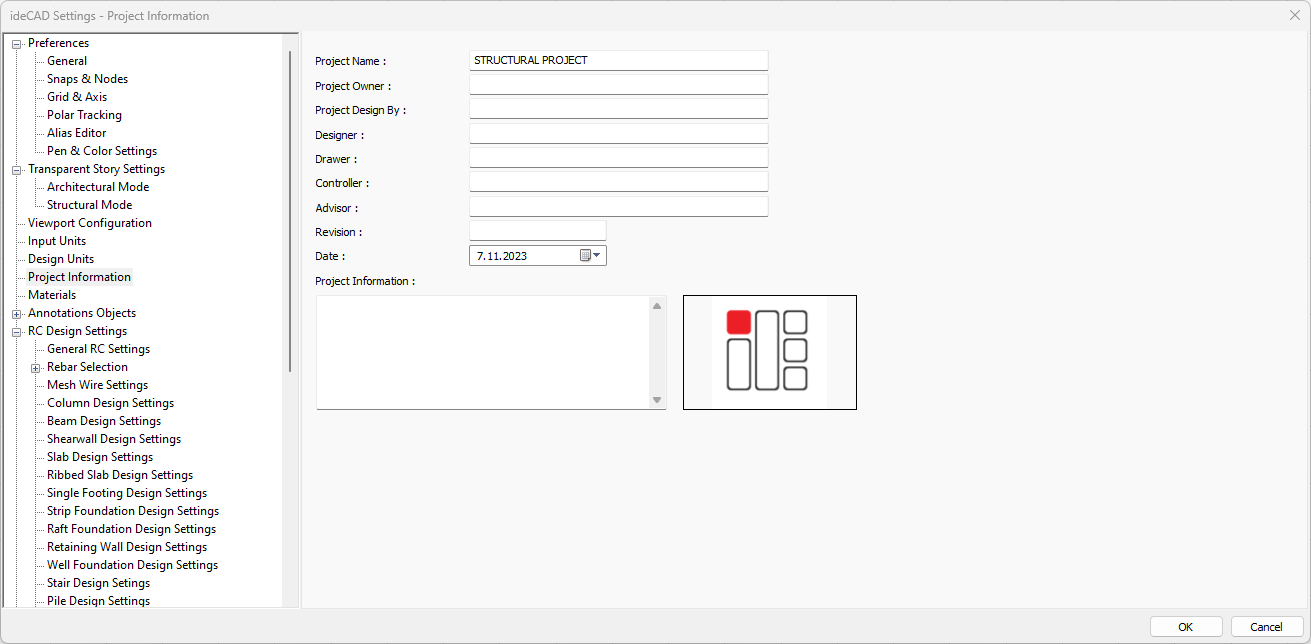
Information such as project name, project owner, revision and date are entered into the project file. Additionally, the logo can be included in the project by clicking on the company logo box.
|
Specifications |
|---|
|
Project name 
The name of the project is entered. |
|
Project owner 
Project owner information is entered. |
|
Project design by 
The information that makes the design is entered. |
|
Designer 
Designer information is entered. |
|
Drawer 
The drawer information is entered. |
|
Controller 
The controller information is entered. |
|
Advisor 
Advisor information is entered. |
|
Revision 
Revision information is entered. |
|
Date 
Date information is entered. |
|
Project information 
Project information is entered. |
|
Company logo 
Company logo. |
Next Topic
Related Topics